
Know The Moment Someone Opens It.
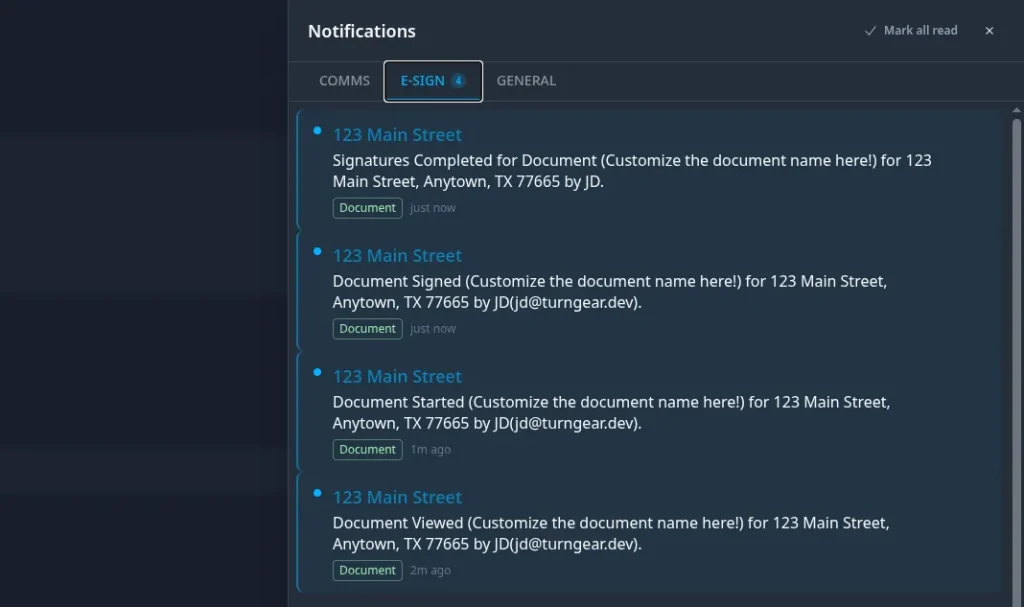
Most e-signature tools go silent until the document is finished. RE/AMP keeps you informed throughout the signing process, notifying you when a document is viewed, signed, and completed.
Because e-signatures are built into the property record, the document and its signing activity stay connected to the rest of the deal.
E-Signing Should Flow WIth You
You shouldn't have to download/re-upload to 5 places. Let us show you!
Book A DemoStop Waiting In The Dark After Sending A Contract
Sending a contract shouldn’t mean wondering whether the recipient has opened it, whether they’re reviewing it, or whether something is holding up the deal.
Without visibility into the signing process, a follow-up can become a guessing game. You don’t know whether the recipient hasn’t seen the document, is reviewing it, or simply hasn’t signed yet.
RE/AMP gives your team visibility into the document’s status so you know where things actually stand.
Know What Happened With Every Document
RE/AMP provides real-time status notifications throughout the signing process.
You’ll know when a recipient opens the document, when they sign, and when the complete signing process is finished.
That means your team can respond based on what actually happened instead of sending unnecessary follow-ups or waiting days for a response.
Know When It’s Viewed
The moment a recipient opens the document, your team can be notified.
You no longer have to wonder whether the contract reached them or whether they’ve had a chance to review it.
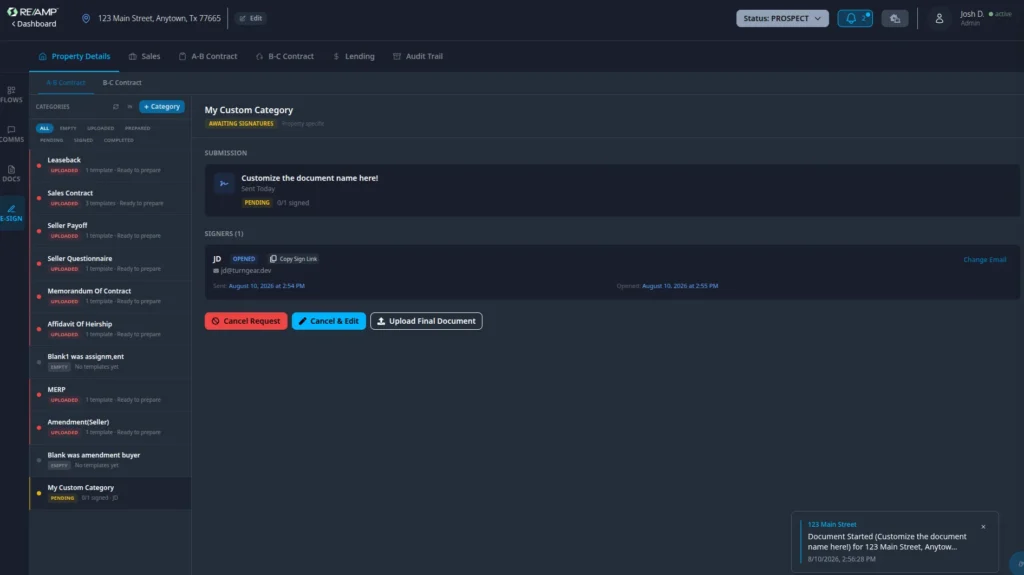
Know When It’s Signed
When a recipient signs, you know immediately.
That gives your team the information needed to move the transaction forward instead of waiting for someone to manually confirm that the document was completed.
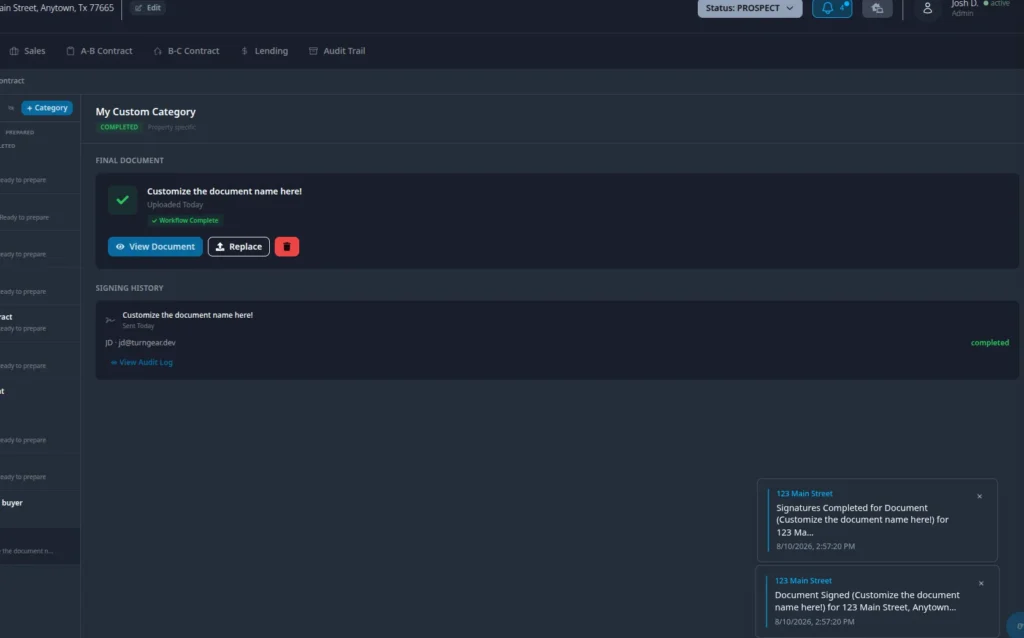
Know When It’s Complete
When all required signatures have been collected, the signing process is complete and the resulting document is stored with the property.
The completed document becomes part of the deal rather than another file your team has to locate later.
E-Signatures Built Into The Deal
We don’t treat e-signatures as a separate destination.
Signing happens in the context of the same property where your team manages workflows, tasks, communication, and documents.
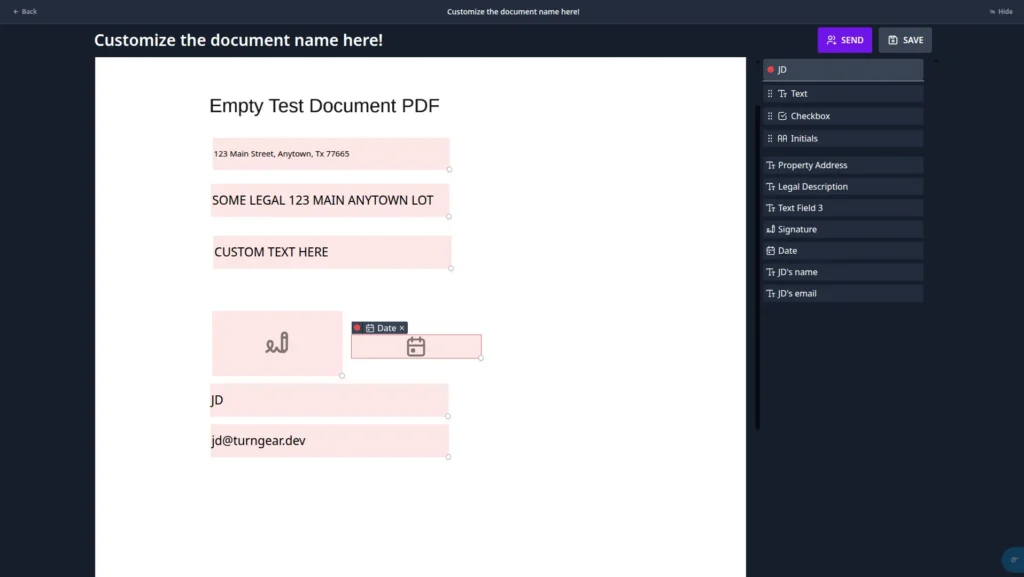
Send a document for signature, monitor its status, and access the completed document from the property record.
There is no need to export the document to a separate e-signature system and then manually bring the finished document back into your CRM.
The transaction stays connected from document creation through signature and completion.
Documents Automatically Return To The Property
Once the signing process is completed, the resulting document is available with the property’s other files.
That means your team doesn’t have to remember where the final version was saved or download it from another application before uploading it to the property.
The signed document becomes part of the property’s document history and can be accessed alongside the other files associated with the deal.
From there, it can also be used in other parts of the RE/AMP workflow, for example, attaching a completed contract directly to an email from the property’s built-in email client.
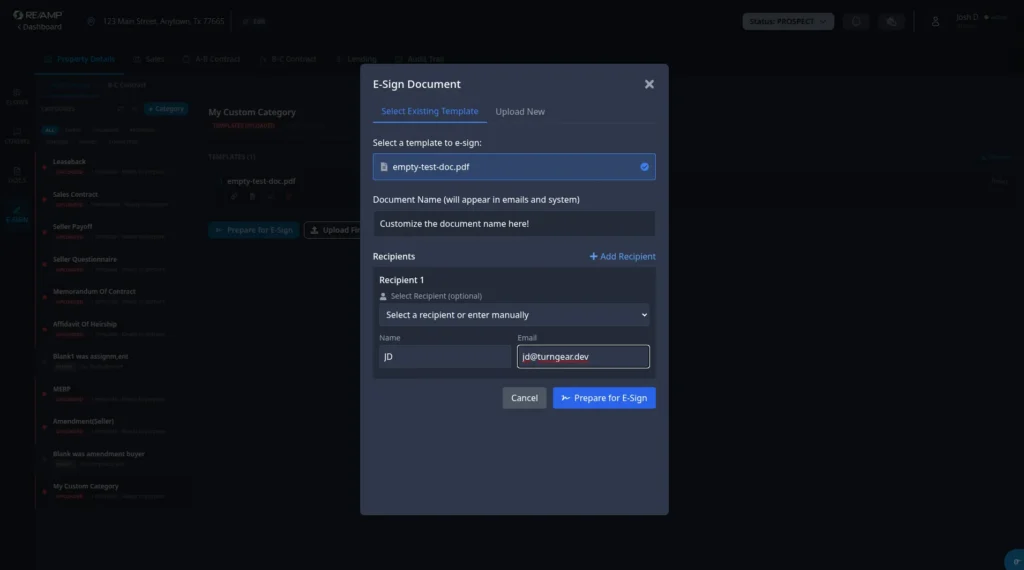
Stop Waiting In The Dark After Sending A Contract
Sending a contract shouldn’t mean wondering whether the recipient has opened it, whether they’re reviewing it, or whether something is holding up the deal.
Without visibility into the signing process, a follow-up can become a guessing game. You don’t know whether the recipient hasn’t seen the document, is reviewing it, or simply hasn’t signed yet.
RE/AMP gives your team visibility into the document’s status so you know where things actually stand.
How E-Signatures Work In RE/AMP
1. Send The Document
Select a document and send it to the appropriate recipient for signature.
2. The Recipient Opens It
RE/AMP records when the document is viewed and notifies your team.
3. The Recipient Signs
Once the recipient signs, your team receives another status notification.
4. The Signing Process Completes
When all required signatures have been collected, the document is completed.
5. The Document Returns To The Property
The completed document is automatically available with the property’s other files.
Your team always knows where the document is and where the transaction stands.
A Real-World Example
You send a purchase agreement to a seller on Friday.
Instead of waiting until Monday and wondering whether they ever saw it, RE/AMP tells you that the document was opened Saturday morning.
Later that evening, it was opened again.
On Sunday night, the seller opens it and signs.
You already know what happened before you ever make the follow-up call.
The difference isn’t just knowing that a document was eventually signed. You can see the progression of the signing process and respond accordingly.
If a seller opens a contract several times over a few days without signing, that may be a reason to reach out and ask whether they have questions or need clarification.
The activity gives your team context for the conversation.
Why E-Signature Visibility Matters
Follow Up At The Right Time
Know whether a document has actually been viewed before deciding when and how to follow up.
Reduce Deal Delays
Don’t let contracts sit in silence simply because nobody knows where they are in the signing process.
Understand Recipient Behavior
Repeated views without a signature can provide useful context that a simple “sent” or “pending” status cannot.
Keep Documents With The Deal
Completed agreements remain associated with the property instead of becoming another disconnected file in a separate application.
Maintain One System Of Record
Your team can manage the property, documents, tasks, communication, and signing activity from the same property record.
Frequently Asked Questions
On E-Signature within RE/AMP
Yes. RE/AMP provides notifications when a recipient views a document during the signing process.
Yes. Signing activity is recorded and your team is notified when a recipient signs.
Once all required signatures have been collected, the signing process is completed and the resulting document is available on the associated property.
Completed signed documents are associated with the property and available alongside its other files.
Yes. Completed e-signature documents can be accessed from the property's Files when composing an email through RE/AMP's built-in email client.
No. E-signature recipients can receive and sign documents without becoming RE/AMP users.
Electronic signatures can be legally binding in many circumstances, but the legal effect depends on applicable laws, the transaction, and how the signing process is conducted. RE/AMP uses Docuseal so please view https://www.docuseal.com/compliance
The document remains in its current signing state, allowing your team to see that the signing process has not yet been completed and determine the appropriate next step.
Know Where The Deal Stands
RE/AMP keeps your team informed throughout the signing process and keeps completed documents connected to the property where the rest of the deal lives. Know when it's opened. Know when it's signed. Know when it's complete.