
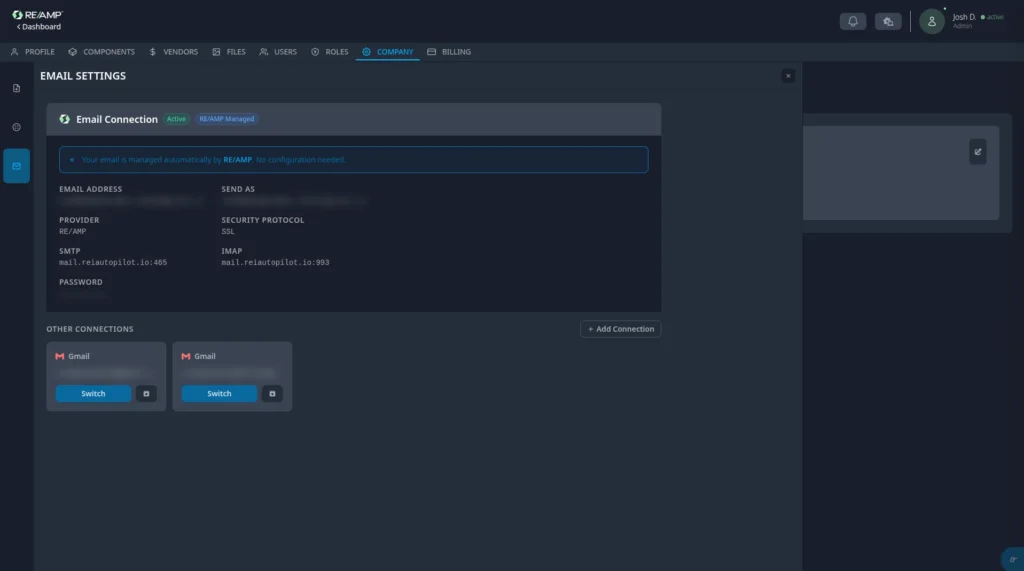
Every Conversation Lives On The Deal
Not in someone’s personal inbox. Not in someone’s personal phone. On the property, where your whole team can see it.
RE/AMP keeps property-related email and text conversations connected to the deal they belong to, giving your team a shared communication history without forcing everyone to forward emails, copy notes, or rely on personal devices.
Need Simplified Communication?
Let us show you how this eco-system can simplify your transaction process.
Book A DemoKeep Property Conversations With The Property
Important deal information shouldn’t disappear into someone’s personal inbox or phone.
When communication is scattered across personal Gmail accounts, text messages, and phone contacts, the company loses visibility into what was discussed. If an employee changes roles or leaves the business, critical context can disappear with them.
RE/AMP keeps communication connected to the property so the conversation stays with the deal, not the individual employee.
One Inbox Per Property
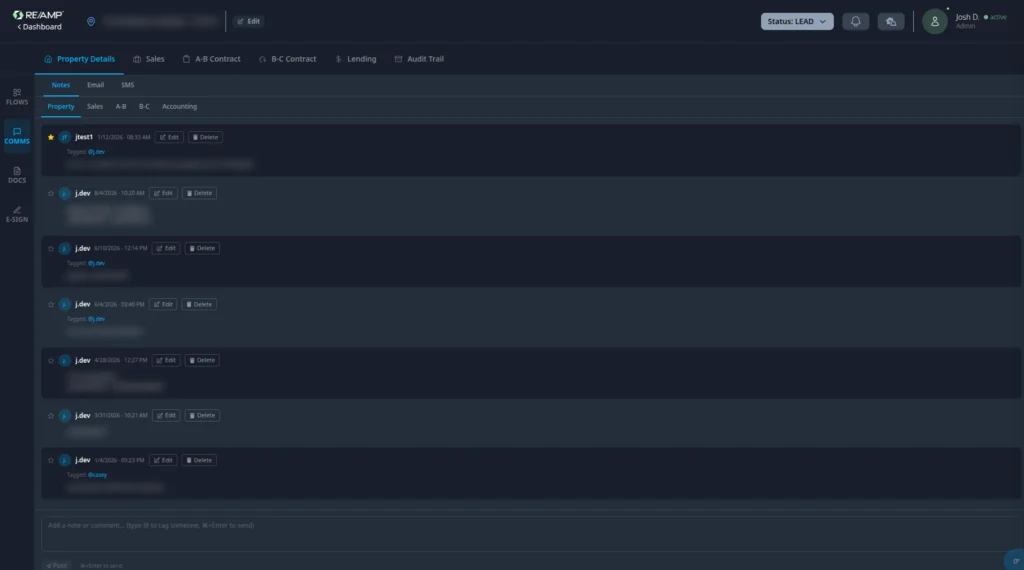
Every RE/AMP account receives a dedicated sending address, and every property under the account automatically receives its own inbox.
That means conversations stay separated by property from the beginning.
Instead of searching through one massive shared mailbox for a seller’s name or trying to remember which email thread belongs to which deal, your team can open the property and see its associated communication history.
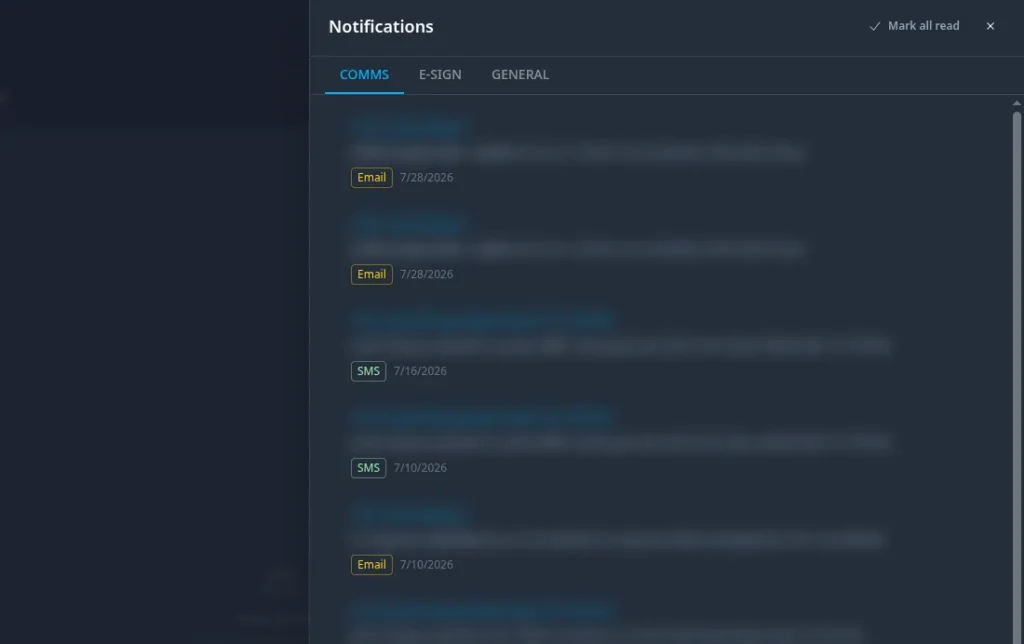
Replies are routed directly to the correct property’s inbox, and your team receives a notification when new communication arrives.
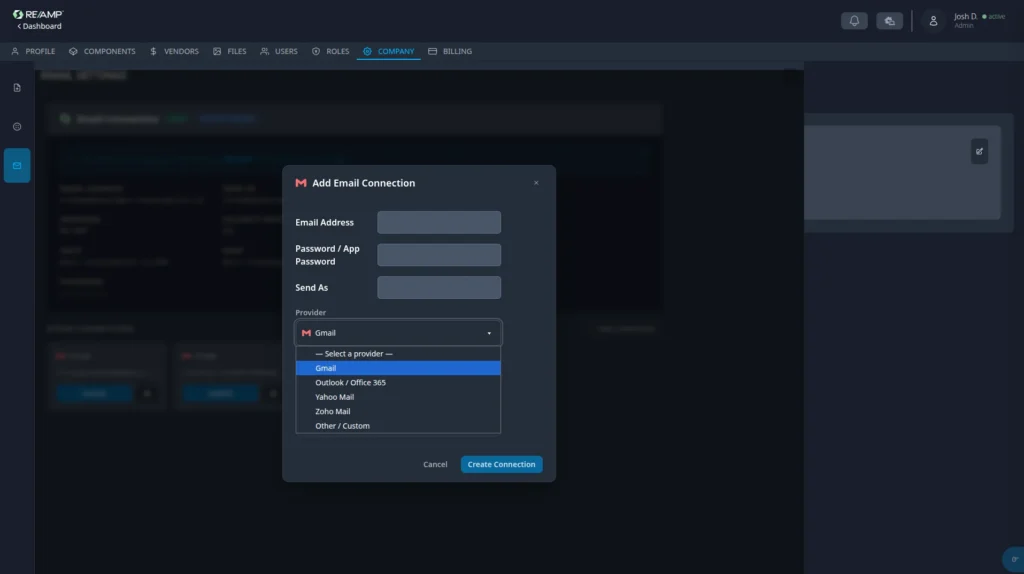
Use Your Own Email Address
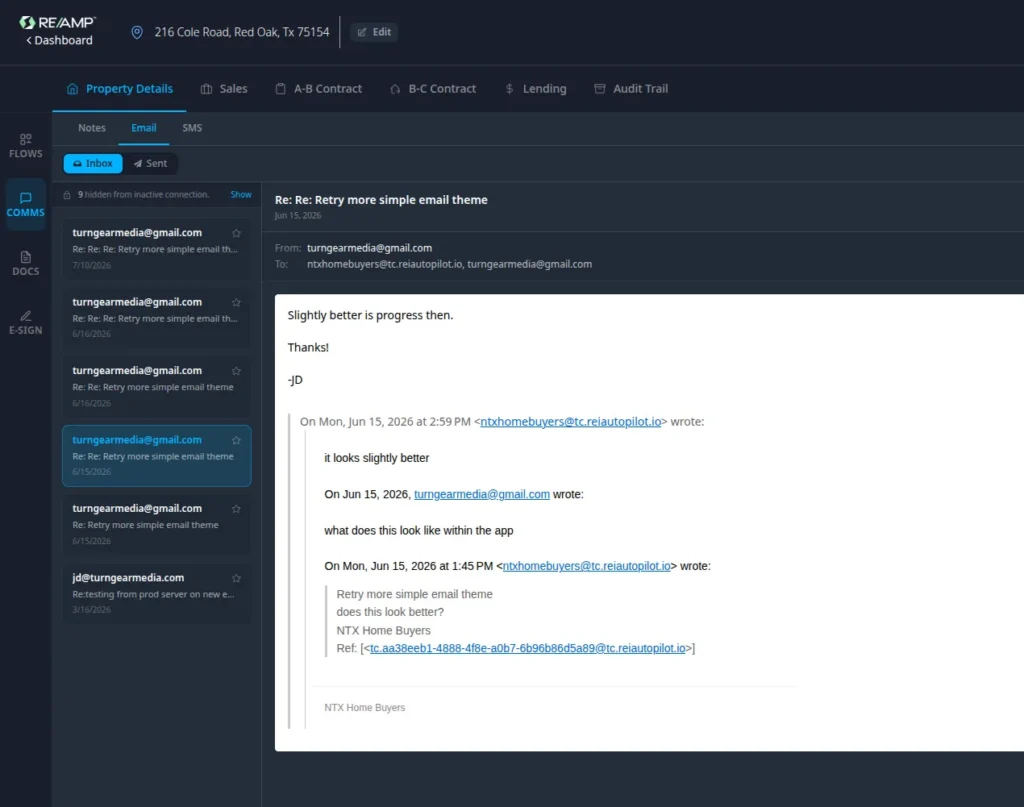
If you prefer to communicate from your company’s existing domain, you can add a custom sending address in RE/AMP.
For example, a company could configure an address such as: transactions@yourcompany.com
Once configured, the address will be used across the properties in your RE/AMP account.
Whether you use the RE/AMP-provided address or your own domain, the goal is the same: keep property communication connected to the property record.
A Full Email Client Built Around The Property
RE/AMP isn’t just a place to view incoming messages. The built-in email client gives your team the tools to manage property communication directly from the application.
Compose and save drafts, reply to existing conversations, and attach files without leaving the property record or switching between your CRM and a separate email application.
Because the email client is connected to the property, the files you need are already there.
Attach Property Documents Without Leaving The Deal
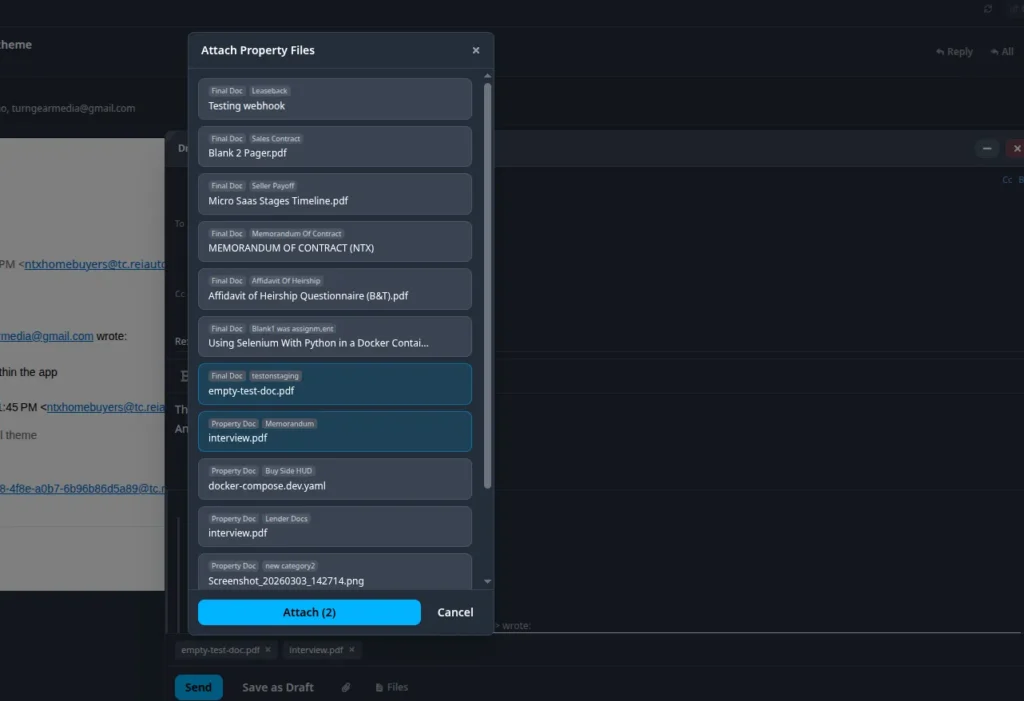
When composing an email, the Files button gives you access to documents associated with the property.
That can include files your team has uploaded directly to the property, as well as completed documents generated through the e-signature workflow.
For example, if a completed buy-side HUD has already been uploaded to the property, you don’t need to download it to your computer and then re-upload it to an email.
Open the email client, select Files, choose the document, and attach it directly to the message.
The same applies to contracts, disclosures, inspection documents, closing documents, and completed e-signature documents.
Your documents and communication stay connected to the same property instead of being scattered across your CRM, file system, and email client.
Drafts Stay With The Conversation
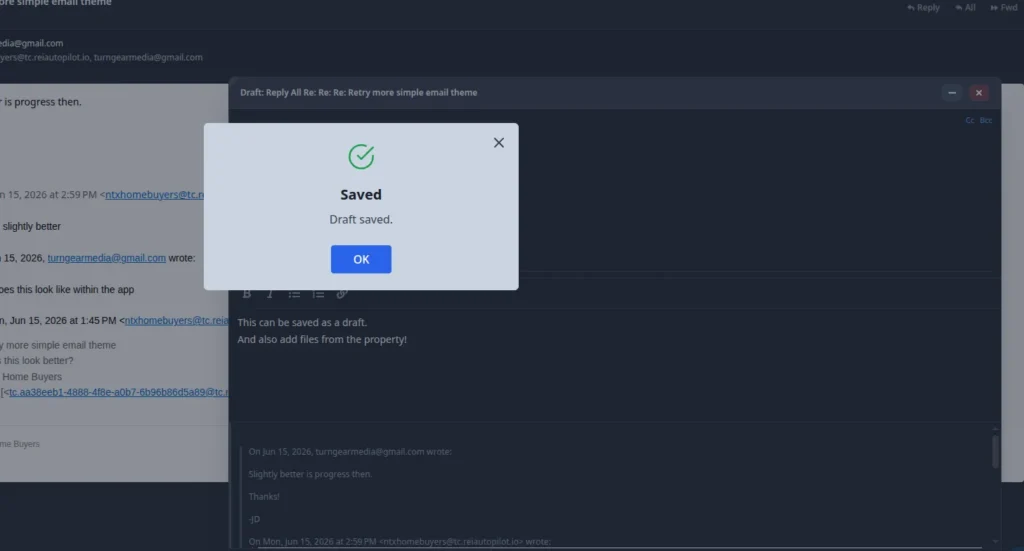
Not ready to send the message yet?
Save it as a draft and come back to it later without losing your work. Your draft is saved to the property you saved it on!
Because the email client lives inside RE/AMP, your team can work from the property record and keep the communication process tied to the deal from drafting through delivery.
The result is a complete property communication workflow: find the property, review its history, access its documents, compose the message, attach the files you need, and send, all without leaving the app.
Text Sellers And Buyers With Twilio
Email isn’t the only way real estate deals move forward.
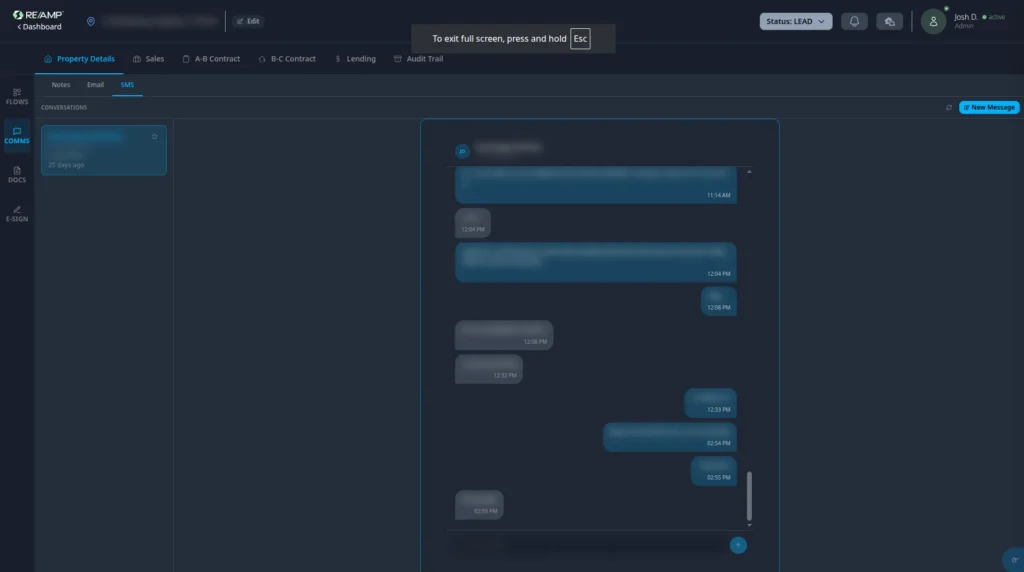
RE/AMP integrates with Twilio so your team can communicate with sellers, buyers, and other contacts through SMS directly from the platform.
Your team can send and receive text messages without relying on personal cell phones or a separate texting application.
Bring Your Own Twilio Account
We use a Bring Your Own Account model for Twilio.
You connect your own Twilio account and control the phone number, messaging costs, and Twilio billing directly.
Requires your own Twilio account and we can help you set it up.
Once connected, SMS communication can be handled alongside the property’s other activity instead of being isolated on someone’s personal phone.
How Built-In Communication Works
1. Create Your Account
Your RE/AMP account receives a dedicated sending address automatically.
You can also configure a custom email address from your own domain.
2. Properties Receive Their Own Inbox
Every property under the account is associated with its own inbox so conversations stay connected to the correct deal.
3. Send And Receive Communication
Your team can communicate through email and, when Twilio is connected, SMS.
4. Replies Stay With The Property
Incoming replies are routed back to the correct property’s communication history and trigger notifications for your team.
5. Everyone Has The Context
When another team member needs to take over a property, they can open the property and review the existing communication instead of starting the conversation from scratch.
A Real-World Example
A representative has been negotiating with a seller for several weeks.
Most of the communication has happened through the representative’s personal email and cell phone. Then the representative leaves the company.
Normally, the company now has a problem.
Someone has to figure out what was discussed, what promises were made, what the seller expects next, and where the conversation left off.
With RE/AMP, the next team member can open the property and review the communication history associated with the deal.
The conversation stays with the property.
Nothing needs to be re-explained from memory, and the company isn’t dependent on one employee’s personal inbox or phone.
Why Property-Based Communication Matters
Keep Conversations With The Deal
Email and SMS communication stays associated with the property instead of being trapped inside an employee’s personal accounts.
Make Handoffs Easier
When responsibility changes, the next person can review the existing conversation and understand the context immediately.
Reduce Lost Information
Important details don’t depend on someone remembering to forward an email, update a note, or copy a text conversation into the CRM.
Maintain A Communication Record
Your team can review previous conversations when questions arise about what was discussed, requested, or agreed upon.
Eliminate Single-Person Communication Dependencies
The business retains access to deal communication even when employees change roles or leave the company.
Frequently Asked Questions
For Built-In Communications
Yes. Properties under your RE/AMP account are associated with their own inbox so communication can be tied directly to the correct property.
Yes. You can configure a custom sending address from your own domain in RE/AMP.
Yes. RE/AMP uses your own Twilio account for SMS. You control the Twilio account, phone number, and associated messaging costs.
Yes. If you need help connecting your Twilio account, RE/AMP can assist with the setup.
No. The goal of built-in communication is to keep property-related conversations associated with the property so your team can access the context when needed.
The communication history remains associated with the property rather than being tied exclusively to the employee's personal email or phone.
Keep The Conversation With The Deal
RE/AMP connects property-based email and SMS communication with the deal itself, giving your team the context they need to keep transactions moving, even when responsibility changes hands.